0.58.0 #
(January 2025)
Happy new year!
fzf 0.58.0 is a big release with many new features and improvements.
Highlights #
- Style presets
- fzf now offers three “style presets” for quick customization. You can
activate a preset using the
--style=[default|minimal|full[:BORDER_STYLE]option. 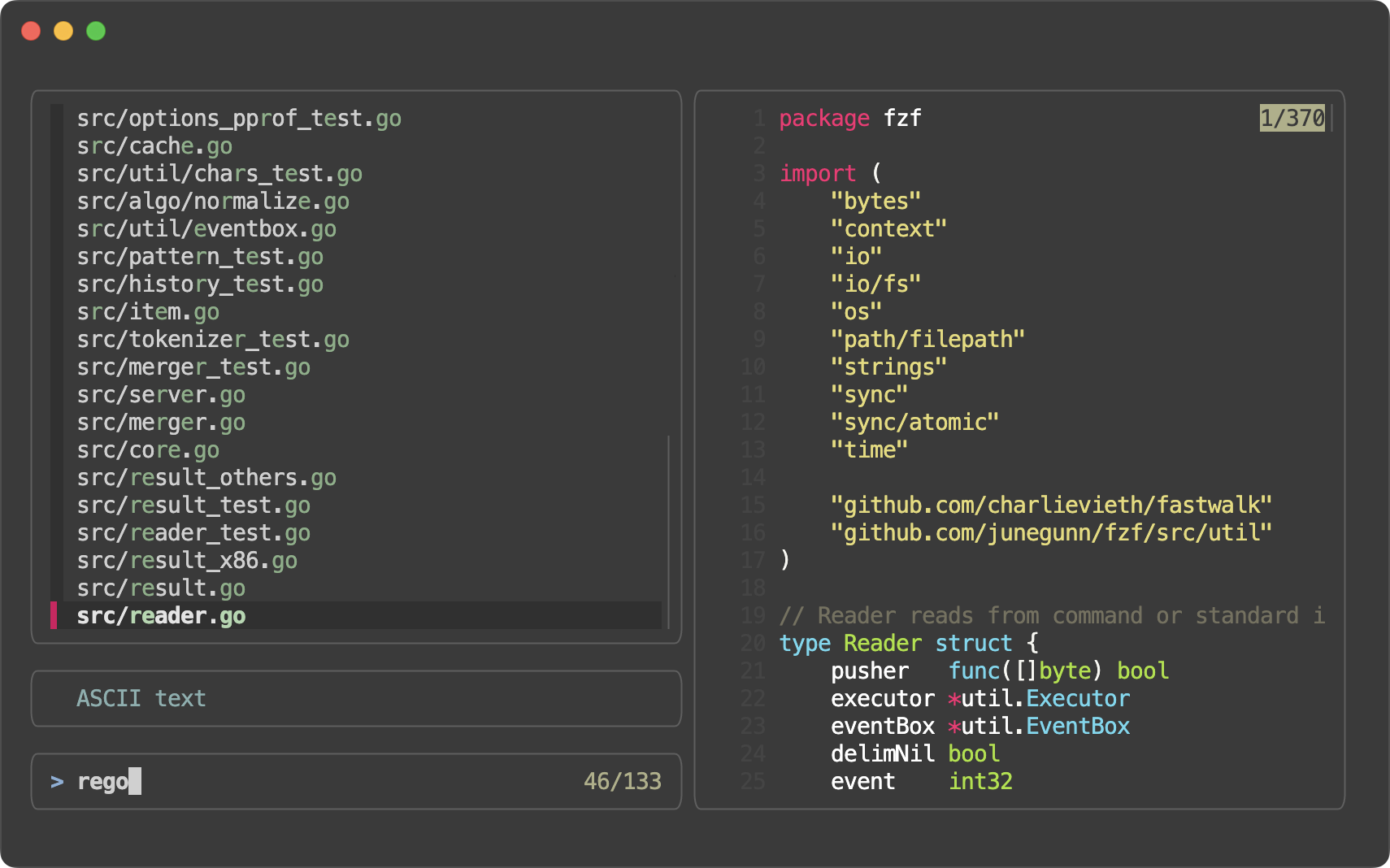
- fzf now offers three “style presets” for quick customization. You can
activate a preset using the
- More borders
- Three new border types,
--list-border,--input-border, and--header-borderare added, offering much greater flexibility for customizing the user interface. 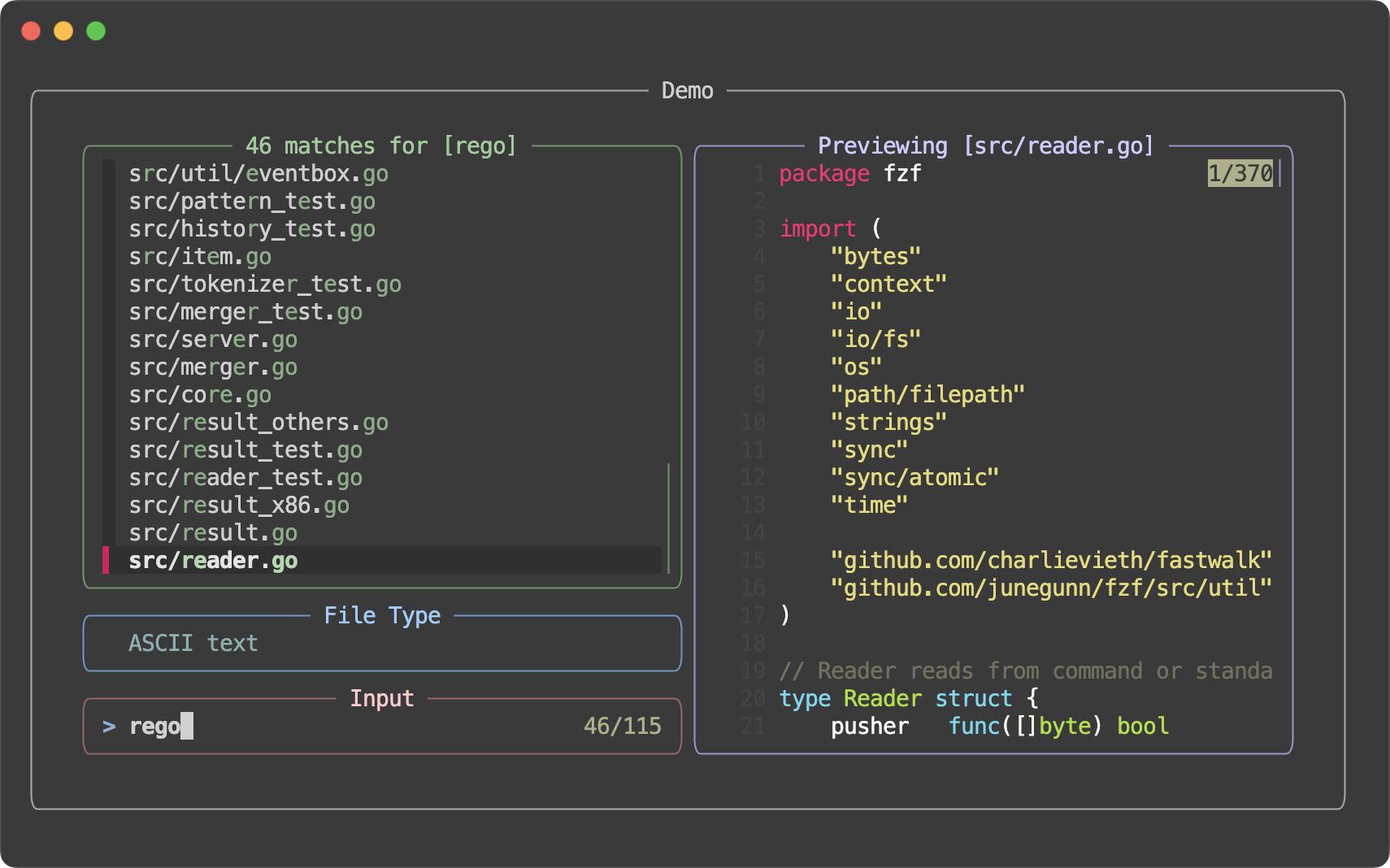
- Three new border types,
--gapimprovements- fzf now renders a dashed line (
┈┈) in each--gapfor better visual separation and a more streamlined look. 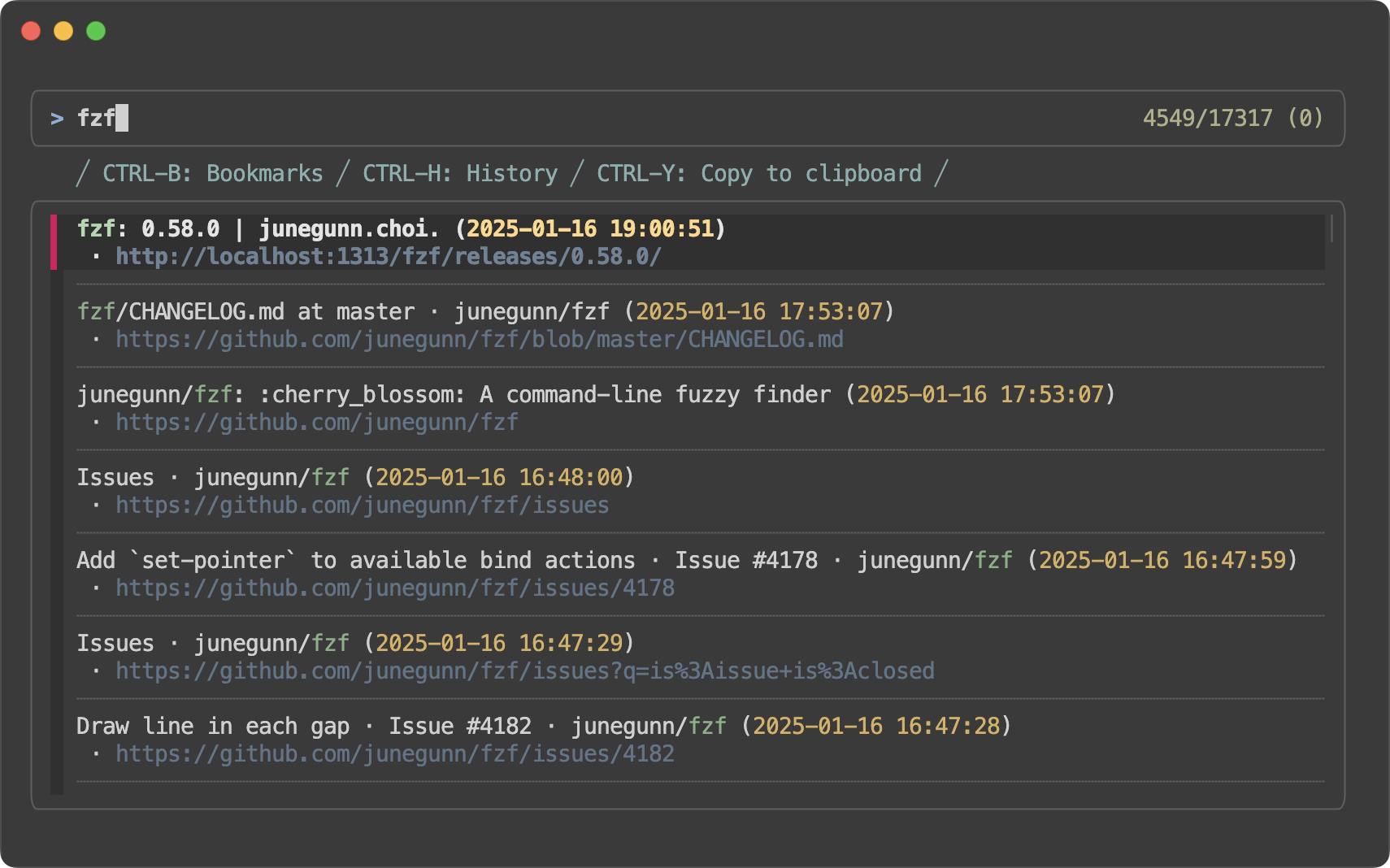
- fzf now renders a dashed line (
--nthimprovements- With the new
change-nthaction, you can dynamically change the search scope. Also, fzf now allows you to display the “nth” parts in a different style as shown below. 
- With the new
Style presets #
fzf --style full
#
- All inner borders (
--list-border --input-border --header-border) --info inline-right--highlight-line
fzf --style full \
    --preview 'fzf-preview.sh {}' --bind 'focus:transform-header:file --brief {}'
fzf --style full:double \
    --preview 'fzf-preview.sh {}' --bind 'focus:transform-header:file --brief {}'
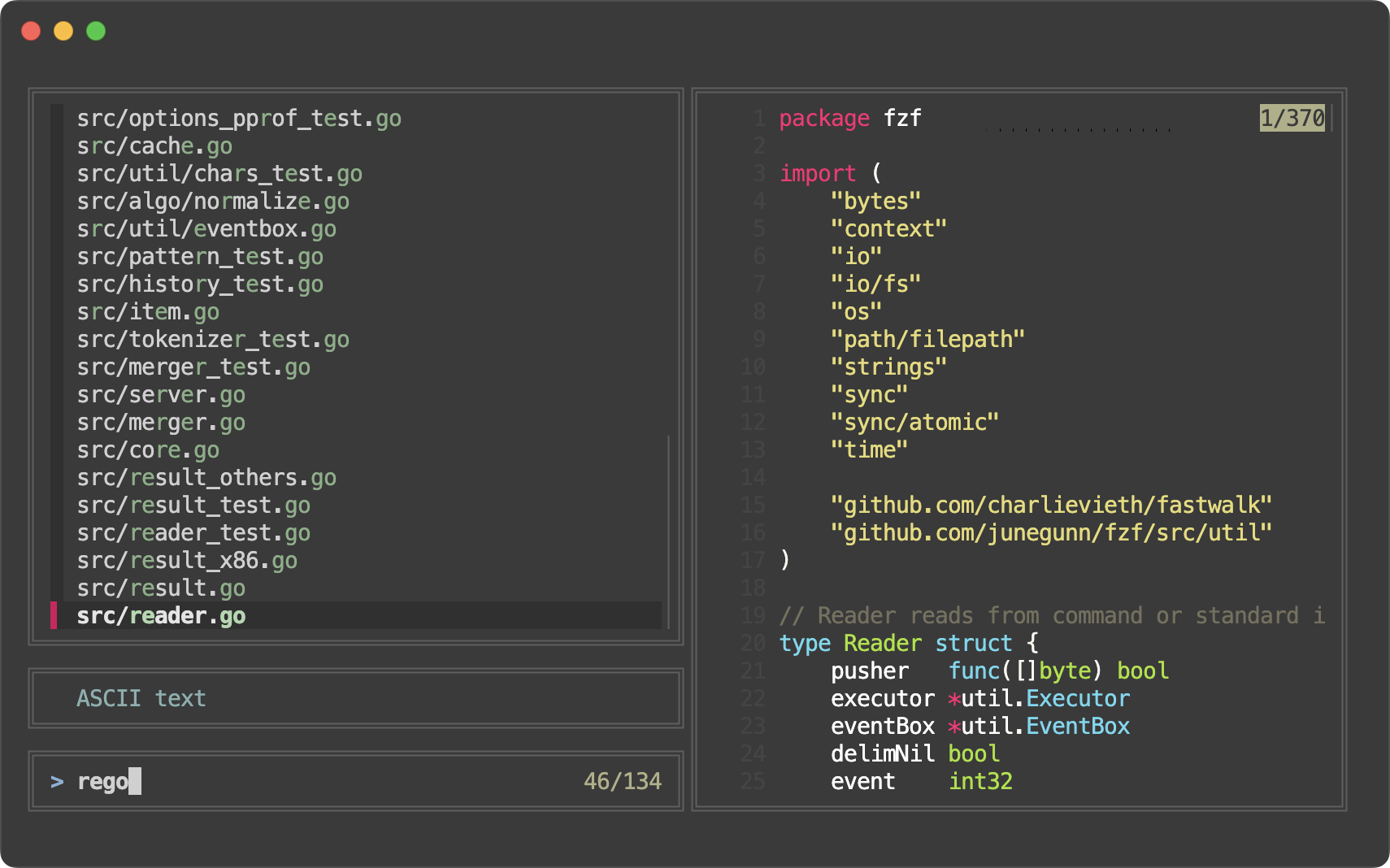
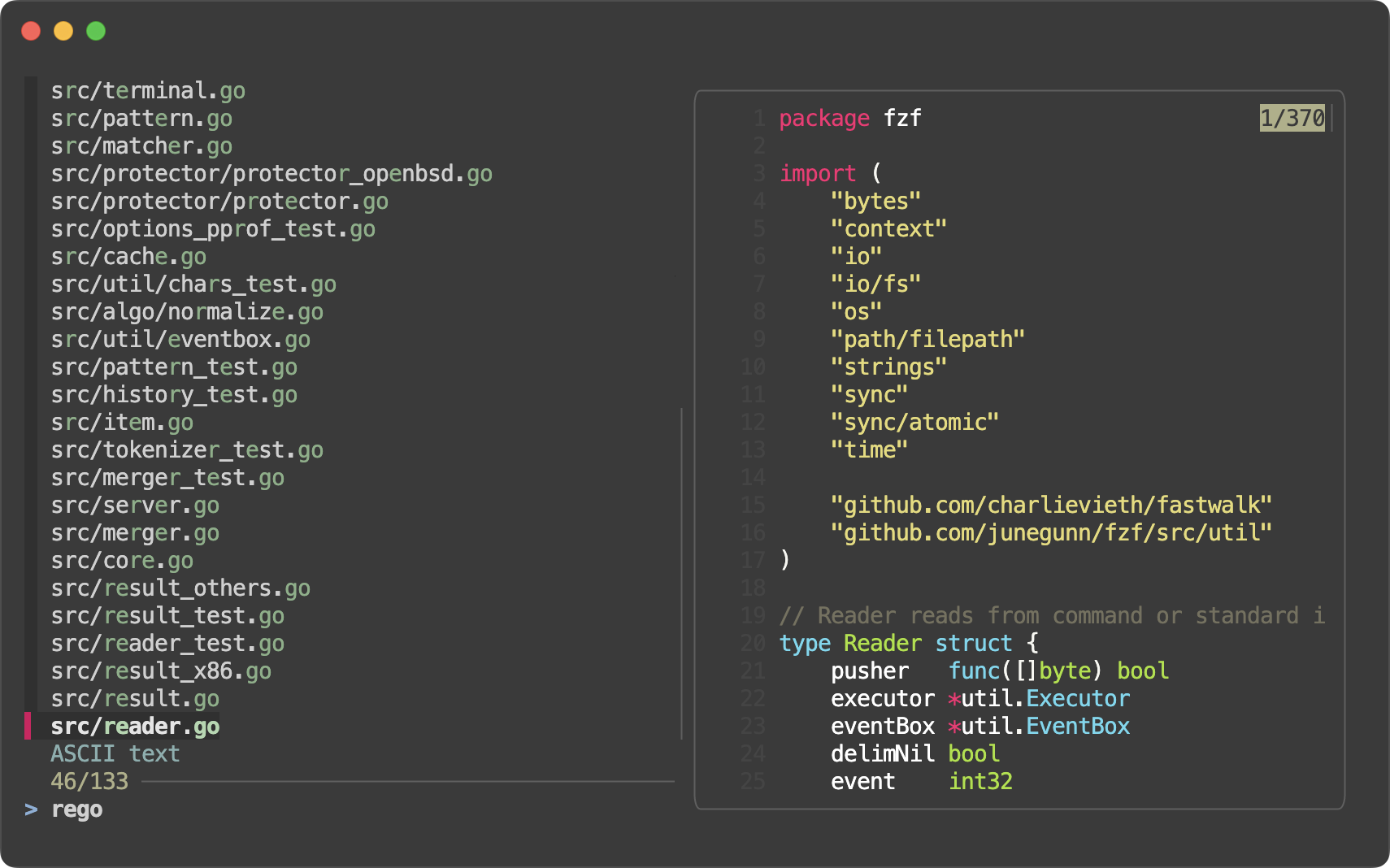
fzf --style default
#
The usual.
fzf --style default \
    --preview 'fzf-preview.sh {}' --bind 'focus:transform-header:file --brief {}'
fzf --style minimal
#
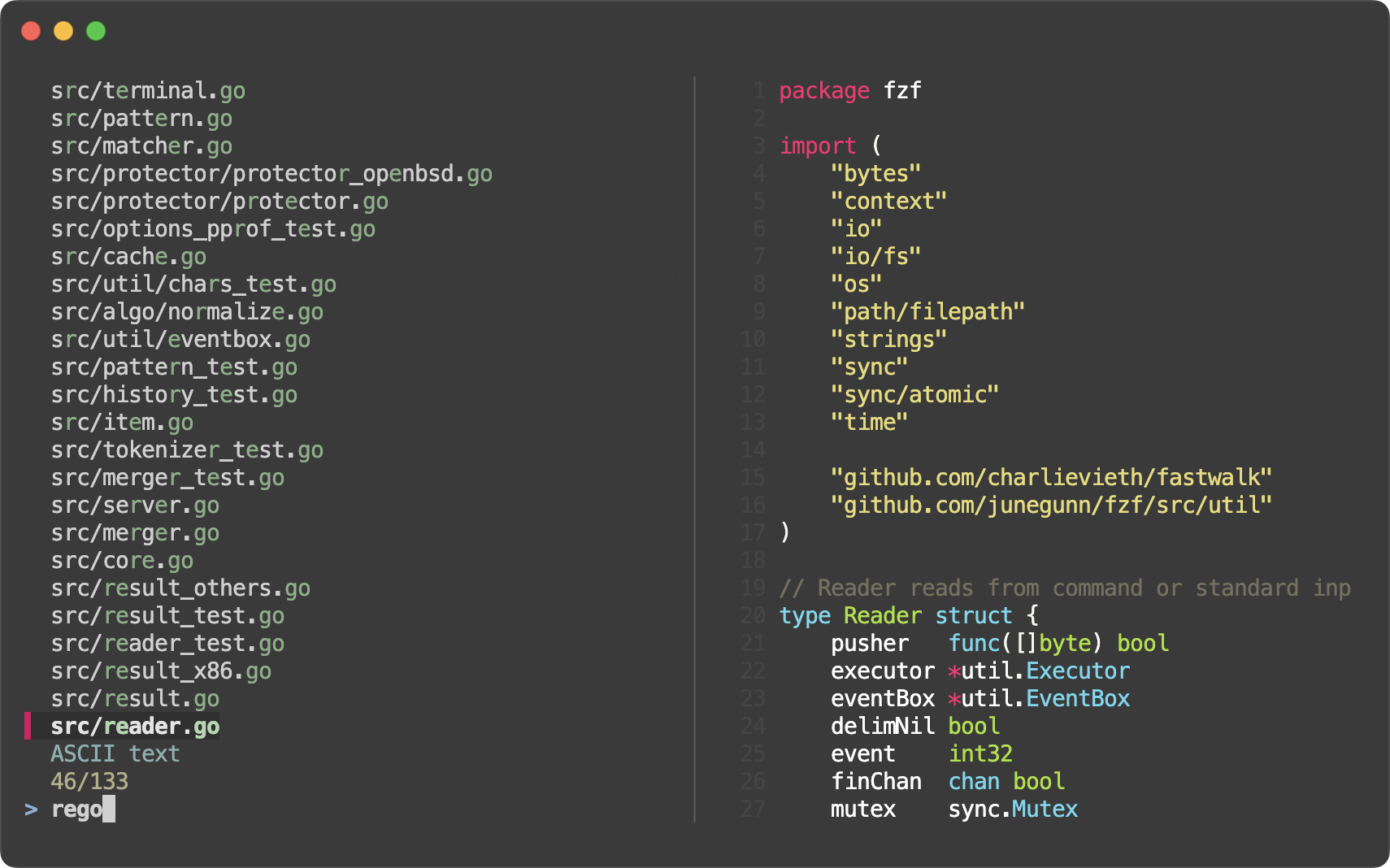
- No gutter (
--color gutter:-1) - No separator (
--no-separator) - No scrollbars (
--no-scrollbar) - No scroll indicator in the preview window (
--preview-window noinfo) - Minimal preview border (
--preview-border line)lineis a new border style that draws a single line between the preview window and the list section regardless of the position of the preview window.
fzf --style minimal \
    --preview 'fzf-preview.sh {}' --bind 'focus:transform-header:file --brief {}'
More borders #
1. Border for the list section #
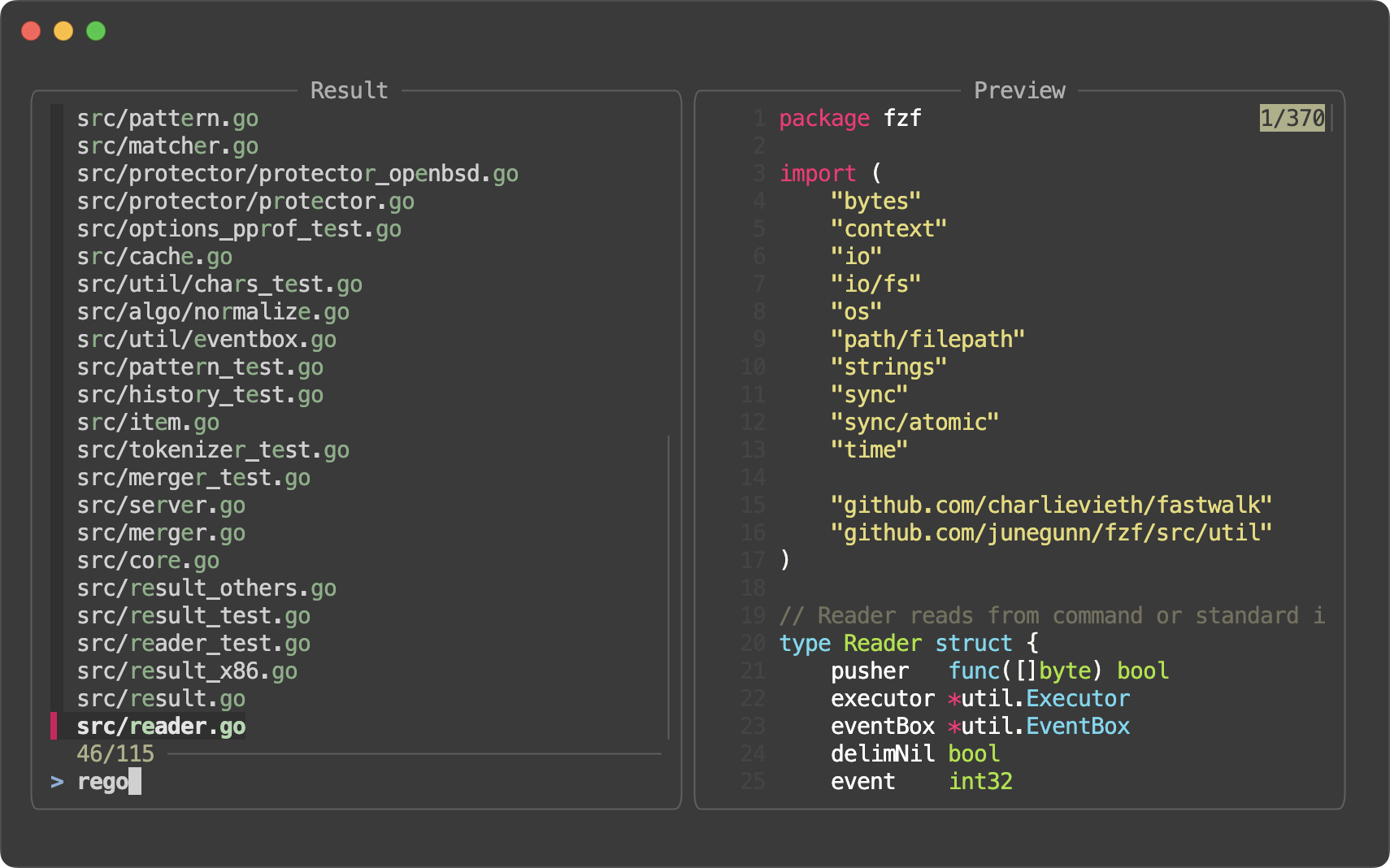
You can now configure fzf to draw border around the list section of the
interface with --list-border. Just like the other types of borders, you can
place a label on it with --list-label and customize the position of it with
--list-label-pos.
git ls-files | fzf \
    --preview 'fzf-preview.sh {}' \
    --list-border --list-label ' Result ' --preview-label ' Preview '
You can dynamically change the label using either change-list-label or
transform-list-label action, and configure the colors in the list section
separately with list-fg, list-bg, list-border, and list-label.
git ls-files | fzf \
    --preview 'fzf-preview.sh {}' \
    --list-border \
    --bind 'result:transform-list-label:
        if [[ -z $FZF_QUERY ]]; then
          echo " $FZF_MATCH_COUNT items "
        else
          echo " $FZF_MATCH_COUNT matches for [$FZF_QUERY] "
        fi
        ' \
    --bind 'focus:transform-preview-label:[[ -n {} ]] && printf " Previewing [%s] " {}' \
    --bind 'ctrl-r:change-list-label( Reloading the list )+reload(sleep 2; git ls-files)' \
    --color 'list-border:#669966,list-label:#99cc99,preview-border:#9999cc,preview-label:#ccccff' \
    --border --border-label ' Demo ' --padding 1,2

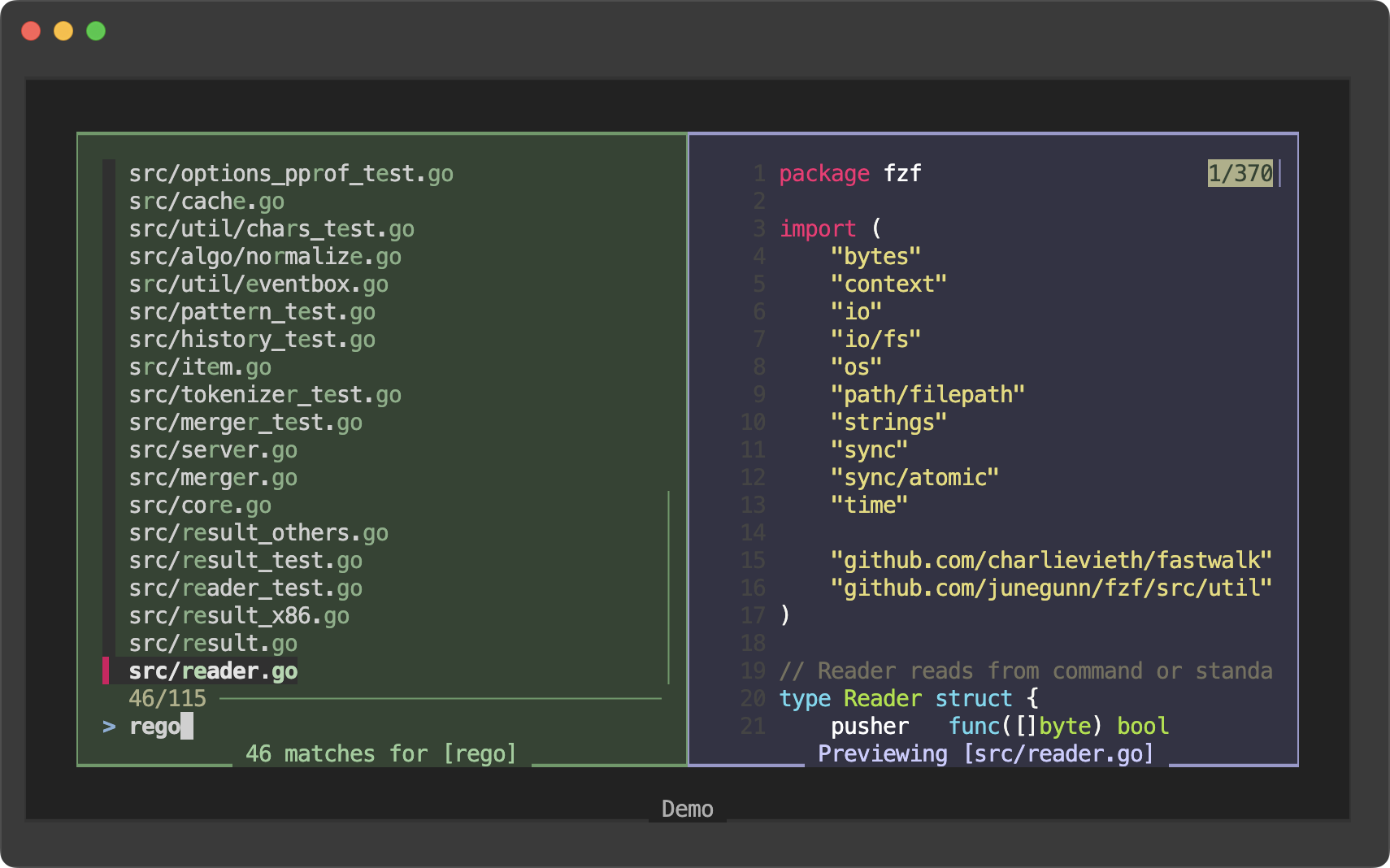
Here’s another example with thinblock border style and different background
colors.
git ls-files | fzf \
    --preview 'fzf-preview.sh {}' \
    --list-border thinblock --preview-border thinblock \
    --list-label-pos bottom --preview-label-pos bottom \
    --bind 'result:transform-list-label:
        if [[ -z $FZF_QUERY ]]; then
          echo " $FZF_MATCH_COUNT items "
        else
          echo " $FZF_MATCH_COUNT matches for [$FZF_QUERY] "
        fi
        ' \
    --bind 'focus:transform-preview-label:[[ -n {} ]] && printf " Previewing [%s] " {}' \
    --bind 'ctrl-r:change-list-label( Reloading the list )+reload(sleep 2; git ls-files)' \
    --color 'bg:#222222,border:#333333,list-bg:#334433,preview-bg:#333344,list-border:#669966,list-label:#99cc99,preview-border:#9999cc,preview-label:#ccccff' \
    --border thinblock --border-label ' Demo ' --border-label-pos bottom --padding 1,2
Note
- Options
--list-border[=STYLE]--list-label=LABEL--list-label-pos=COL[:bottom]
- Colors
list-fglist-bglist-borderlist-label
- Actions
change-list-labeltransform-list-label
2. Border for the input section #
On top of that, you can now even configure fzf to draw border around the input
section (including the prompt line where you type in the query, and the info
line where the counters are displayed) with --input-border and put a label
on it with --input-label.
git ls-files | fzf \
    --preview 'fzf-preview.sh {}' \
    --input-border --input-label ' Input ' --preview-label ' Preview '
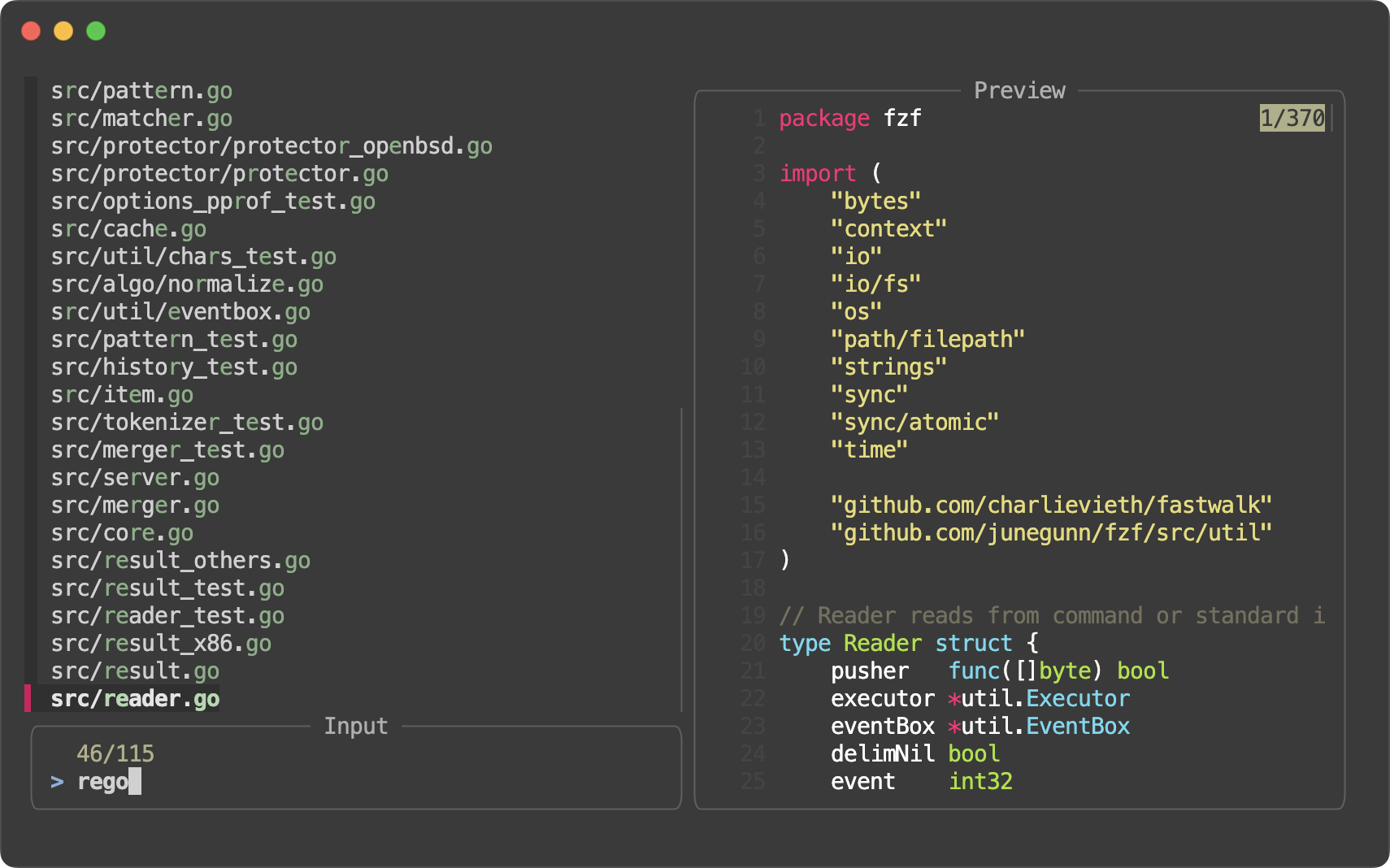
You might want to experiment it with a different --info option such as
inline-right to save space.
git ls-files | fzf \
    --preview 'fzf-preview.sh {}' \
    --input-border --input-label ' Input ' --preview-label ' Preview ' \
    --info inline-right
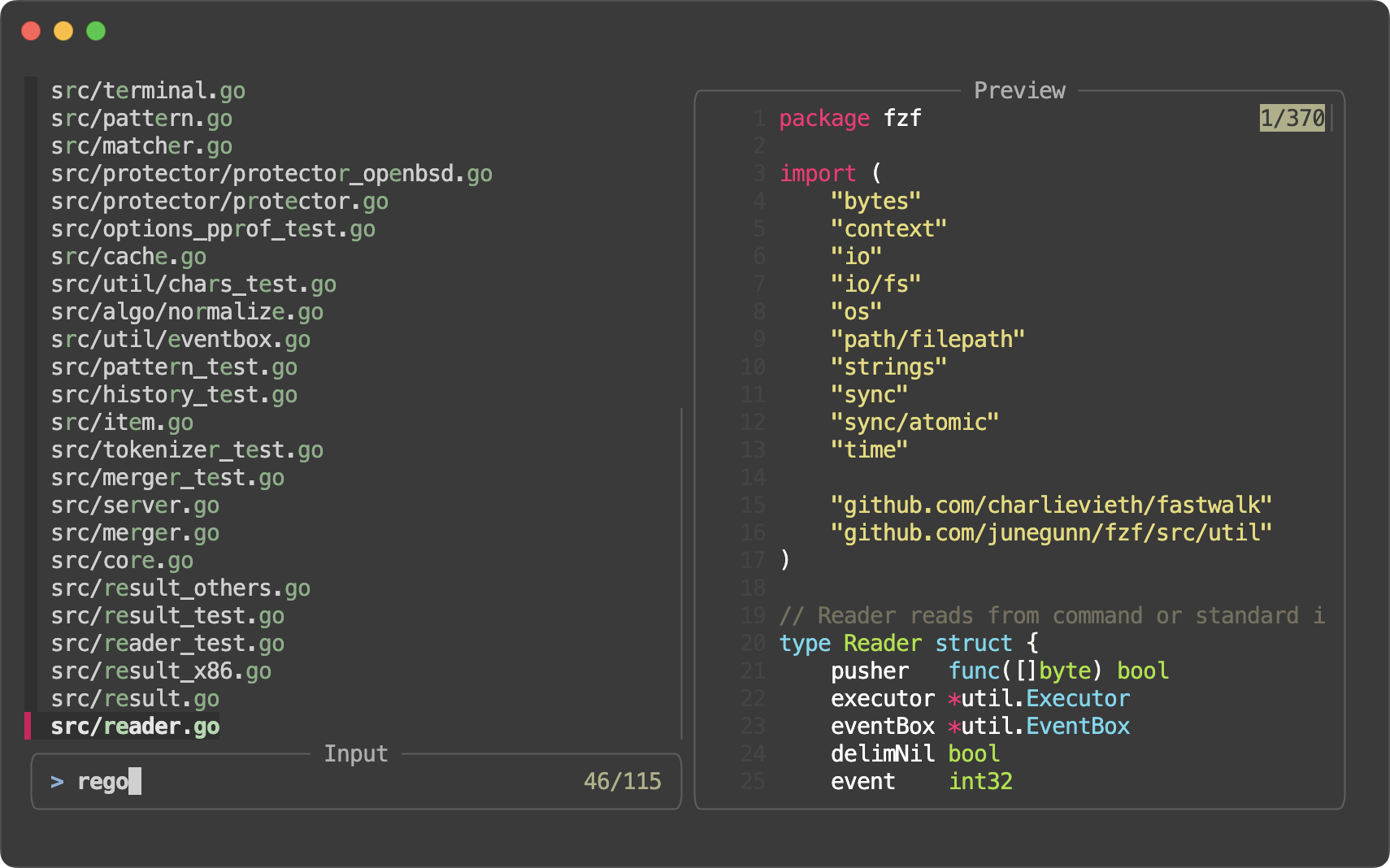
Note
This border is also fully customizable in pretty much the same way.
- Options
--input-border[=STYLE]--input-label=LABEL--input-label-pos=COL[:bottom]
- Colors
input-fginput-bginput-borderinput-label
- Actions
change-input-labeltransform-input-label
3. Border for the header section #
Finally, you can configure fzf to display border around the header section
git ls-files | fzf \
    --preview 'fzf-preview.sh {}' \
    --preview-label ' Preview ' \
    --bind 'focus:transform-header:file --brief {} || echo "No file selected"' \
    --header-border --header-label ' File Type '
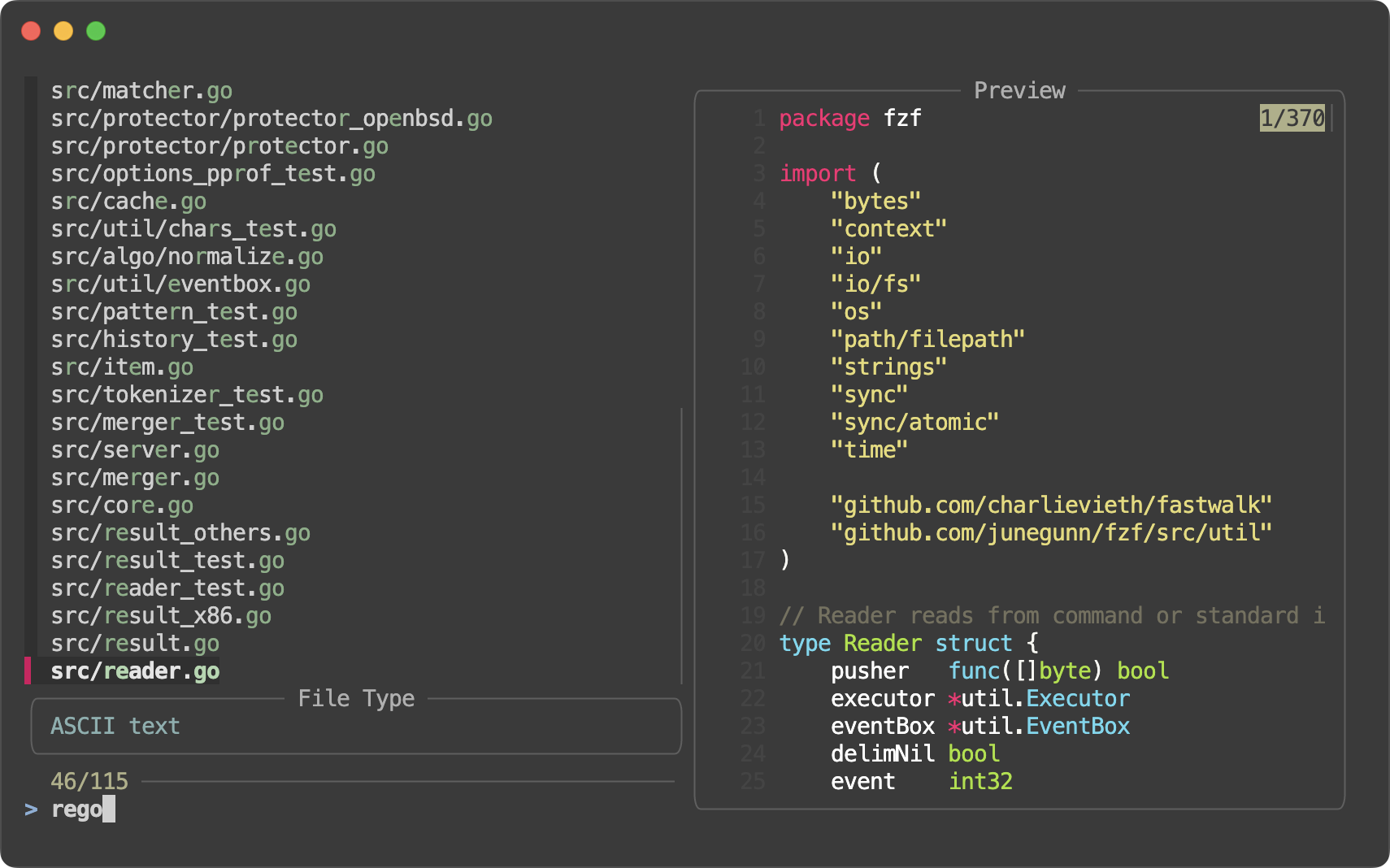
--header-first works just as expected as before.
git ls-files | fzf \
    --preview 'fzf-preview.sh {}' \
    --preview-label ' Preview ' \
    --bind 'focus:transform-header:file --brief {} || echo "No file selected"' \
    --header-border --header-label ' File Type ' --header-first
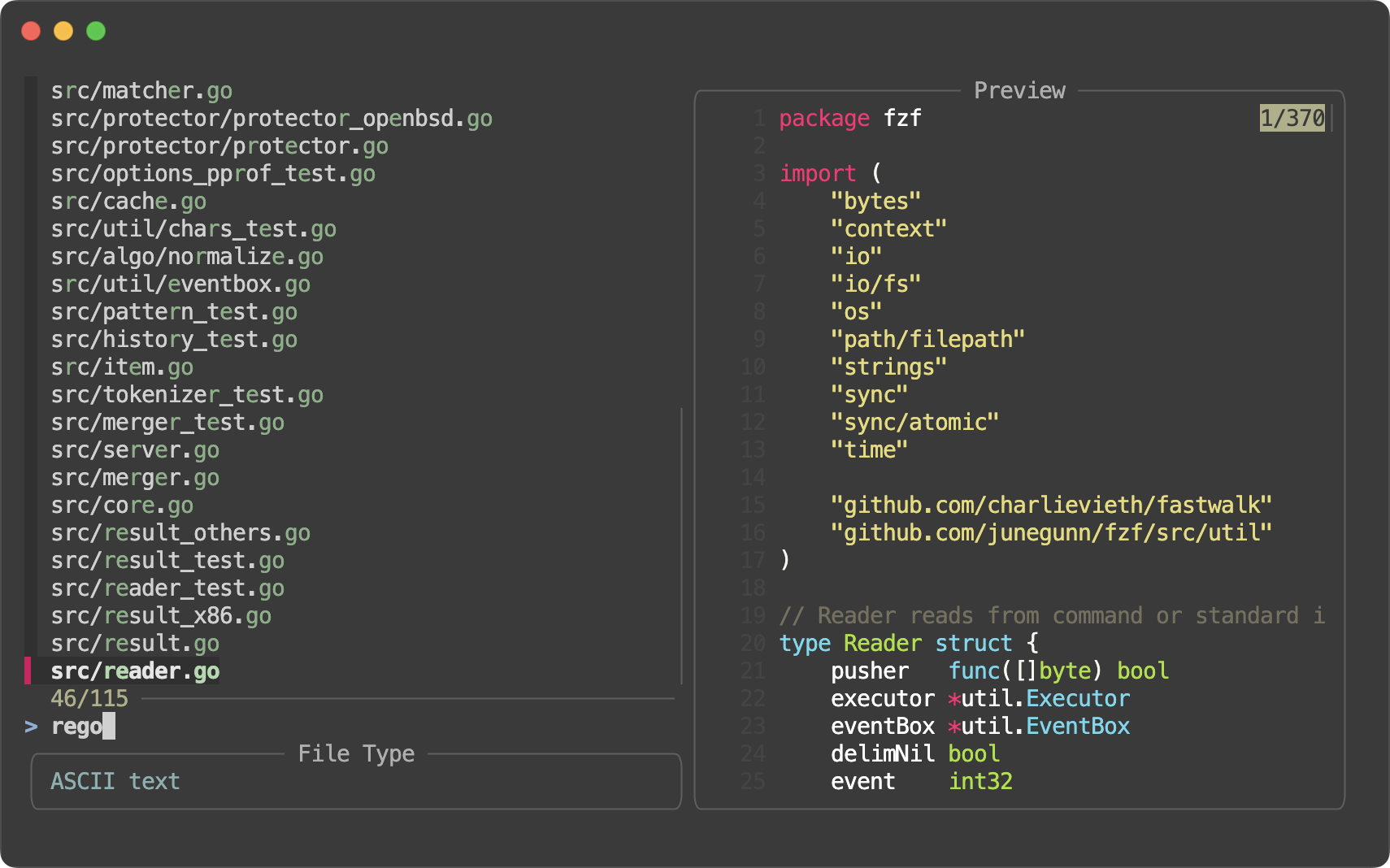
Note
This also comes with a bunch of options for customizing every aspect of it.
- Options
--header-border[=STYLE]--header-label=LABEL--header-label-pos=COL[:bottom]
- Colors
header-fgheader-bgheader-borderheader-label
- Actions
change-header-labeltransform-header-label
Fun with borders #
So now we have 5 types of borders that are fully customizable.
| Border | Label & postion | Colors |
|---|---|---|
--border--no-border | --border-label--border-label-pos | borderlabelfgbg |
--preview-border1--no-preview-border | --preview-label--preview-label-pos | preview-borderpreview-labelpreview-fgpreview-bg |
--list-border--no-list-border | --list-label--list-label-pos | list-borderlist-labellist-fglist-bg |
--input-border--no-input-border | --input-label--input-label-pos | input-borderinput-labelinput-fginput-bg |
--header-border--no-header-border | --header-label--header-label-pos | header-borderheader-labelheader-fgheader-bg |
Now let’s put them all together. We can start from --style full.
git ls-files | fzf --style full \
    --border --padding 1,2 \
    --border-label ' Demo ' --input-label ' Input ' --header-label ' File Type ' \
    --preview 'fzf-preview.sh {}' \
    --bind 'result:transform-list-label:
        if [[ -z $FZF_QUERY ]]; then
          echo " $FZF_MATCH_COUNT items "
        else
          echo " $FZF_MATCH_COUNT matches for [$FZF_QUERY] "
        fi
        ' \
    --bind 'focus:transform-preview-label:[[ -n {} ]] && printf " Previewing [%s] " {}' \
    --bind 'focus:+transform-header:file --brief {} || echo "No file selected"' \
    --bind 'ctrl-r:change-list-label( Reloading the list )+reload(sleep 2; git ls-files)' \
    --color 'border:#aaaaaa,label:#cccccc' \
    --color 'preview-border:#9999cc,preview-label:#ccccff' \
    --color 'list-border:#669966,list-label:#99cc99' \
    --color 'input-border:#996666,input-label:#ffcccc' \
    --color 'header-border:#6699cc,header-label:#99ccff'
And here’s a variation of it using thinblock border style and different
background colors.
git ls-files | fzf --style full:thinblock \
    --border --padding 1,2 \
    --border-label ' Demo ' --input-label ' Input ' --header-label ' File Type ' \
    --border-label-pos bottom --input-label-pos bottom --list-label-pos bottom \
    --preview-label-pos bottom --header-label-pos bottom \
    --preview 'fzf-preview.sh {}' \
    --bind 'result:transform-list-label:
        if [[ -z $FZF_QUERY ]]; then
          echo " $FZF_MATCH_COUNT items "
        else
          echo " $FZF_MATCH_COUNT matches for [$FZF_QUERY] "
        fi
        ' \
    --bind 'focus:transform-preview-label:[[ -n {} ]] && printf " Previewing [%s] " {}' \
    --bind 'focus:+transform-header:file --brief {} || echo "No file selected"' \
    --bind 'ctrl-r:change-list-label( Reloading the list )+reload(sleep 2; git ls-files)' \
    --color 'bg:#222222,border:#aaaaaa,label:#cccccc' \
    --color 'preview-bg:#333344,preview-border:#9999cc,preview-label:#ccccff' \
    --color 'list-bg:#334433,list-border:#669966,list-label:#99cc99' \
    --color 'input-bg:#443333,input-border:#996666,input-label:#ffcccc' \
    --color 'current-bg:#223322,selected-bg:#2a3b2a' \
    --color 'header-bg:#334455,header-border:#999999,header-label:#aabbcc' \
    --multi
--gap improvements
#
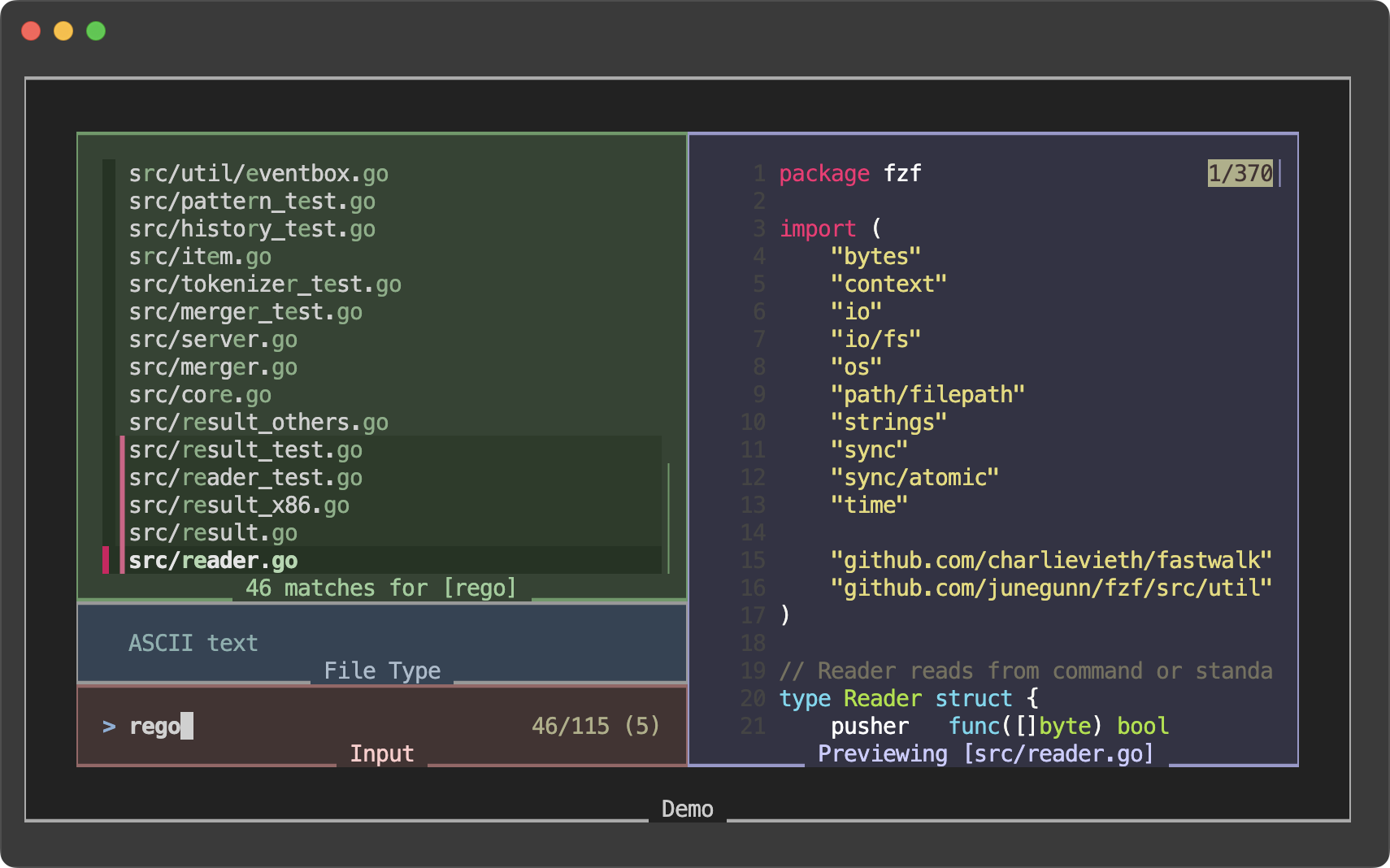
As you may already know, fzf can process and display multi-line items, but sometimes it’s hard to distinguish between consecutive items.
To address this issue, --gap option was added in 0.56.0 to display
blank lines between items and provide a better visual separation
between items. However, it didn’t look quite nice with single-line items.
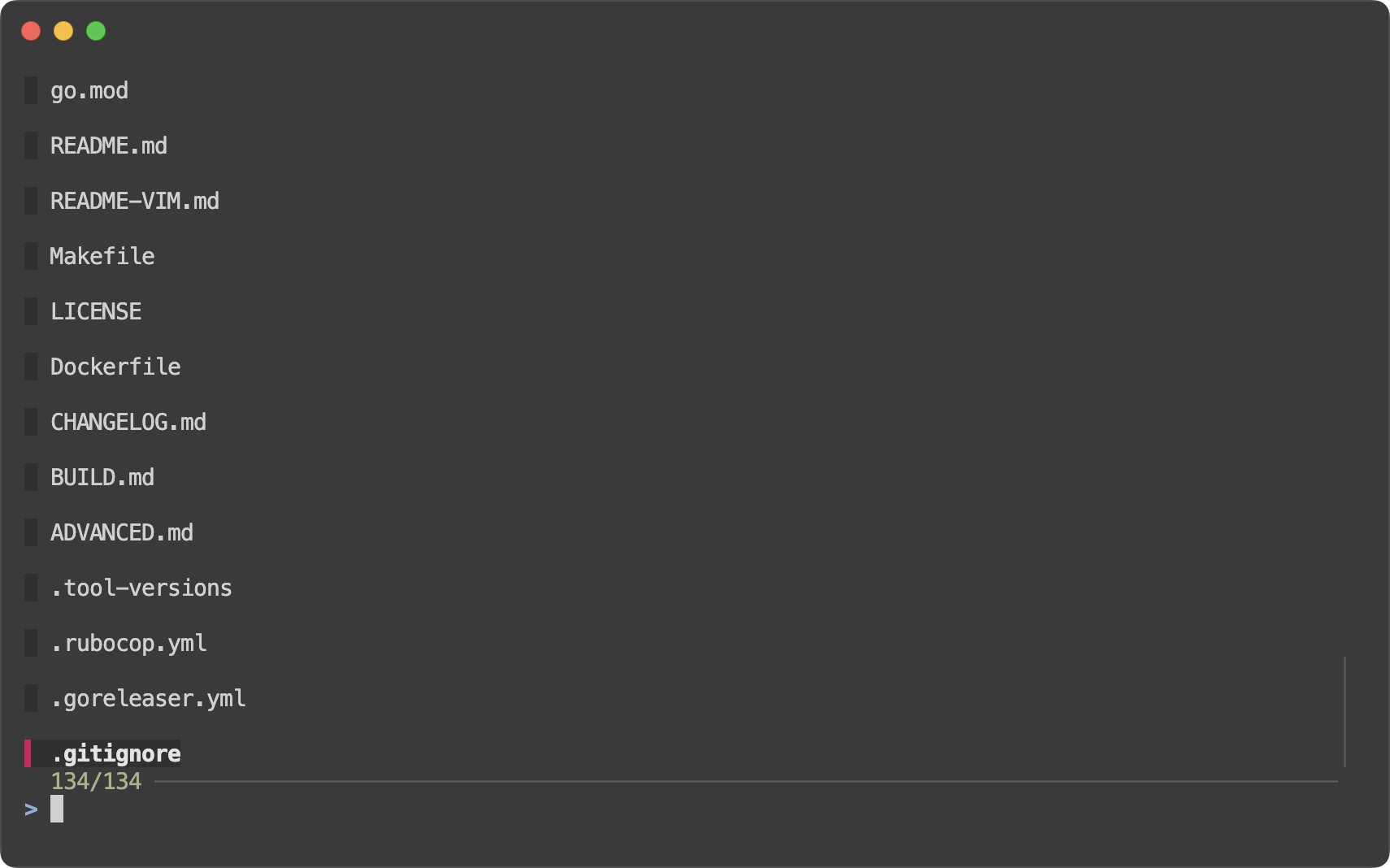
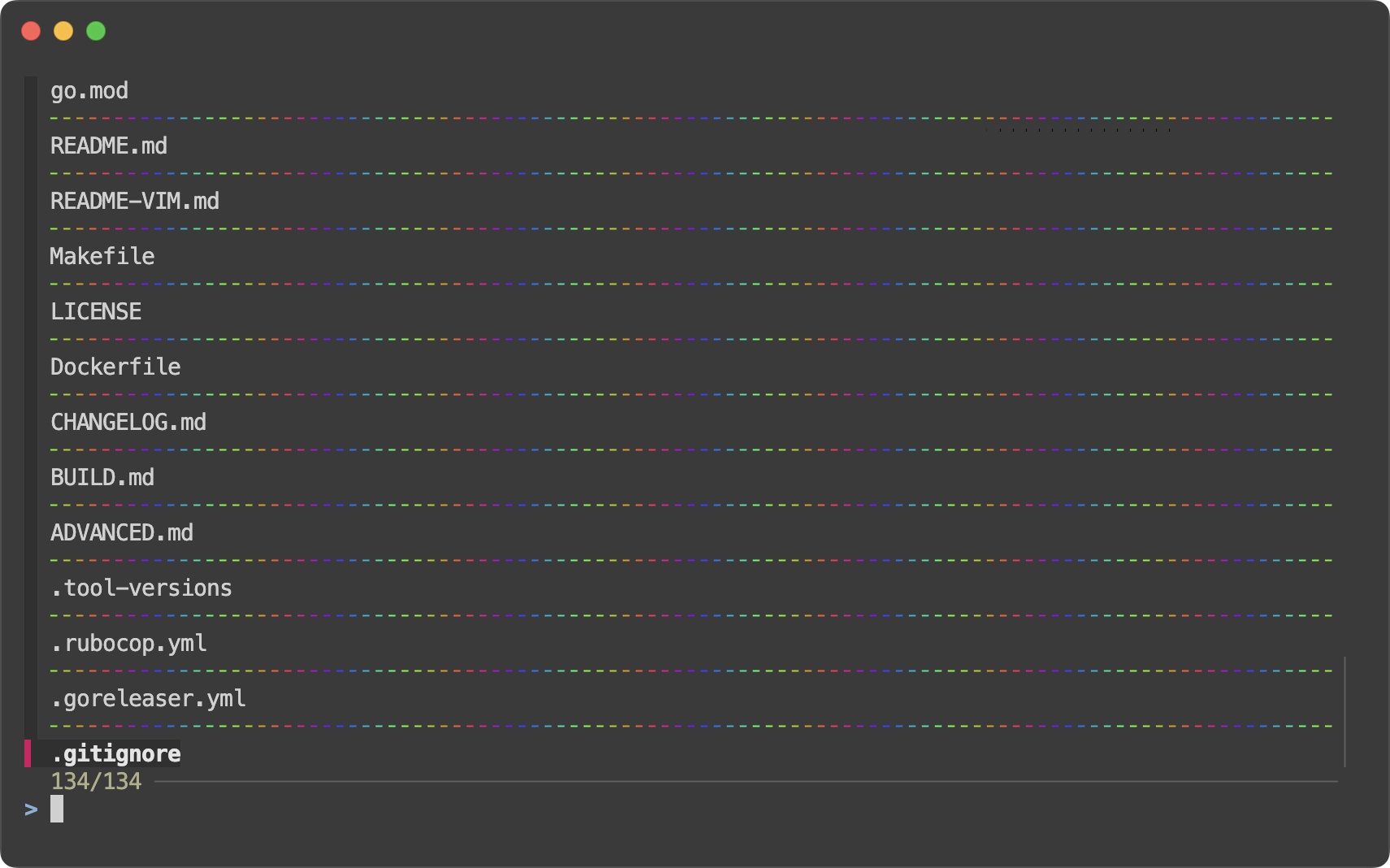
In this release, fzf improves the visual of it by rendering a dashed line
(┈┈) in each gap.
It looks much better with both single-line and multi-line items.
--gap-line
#
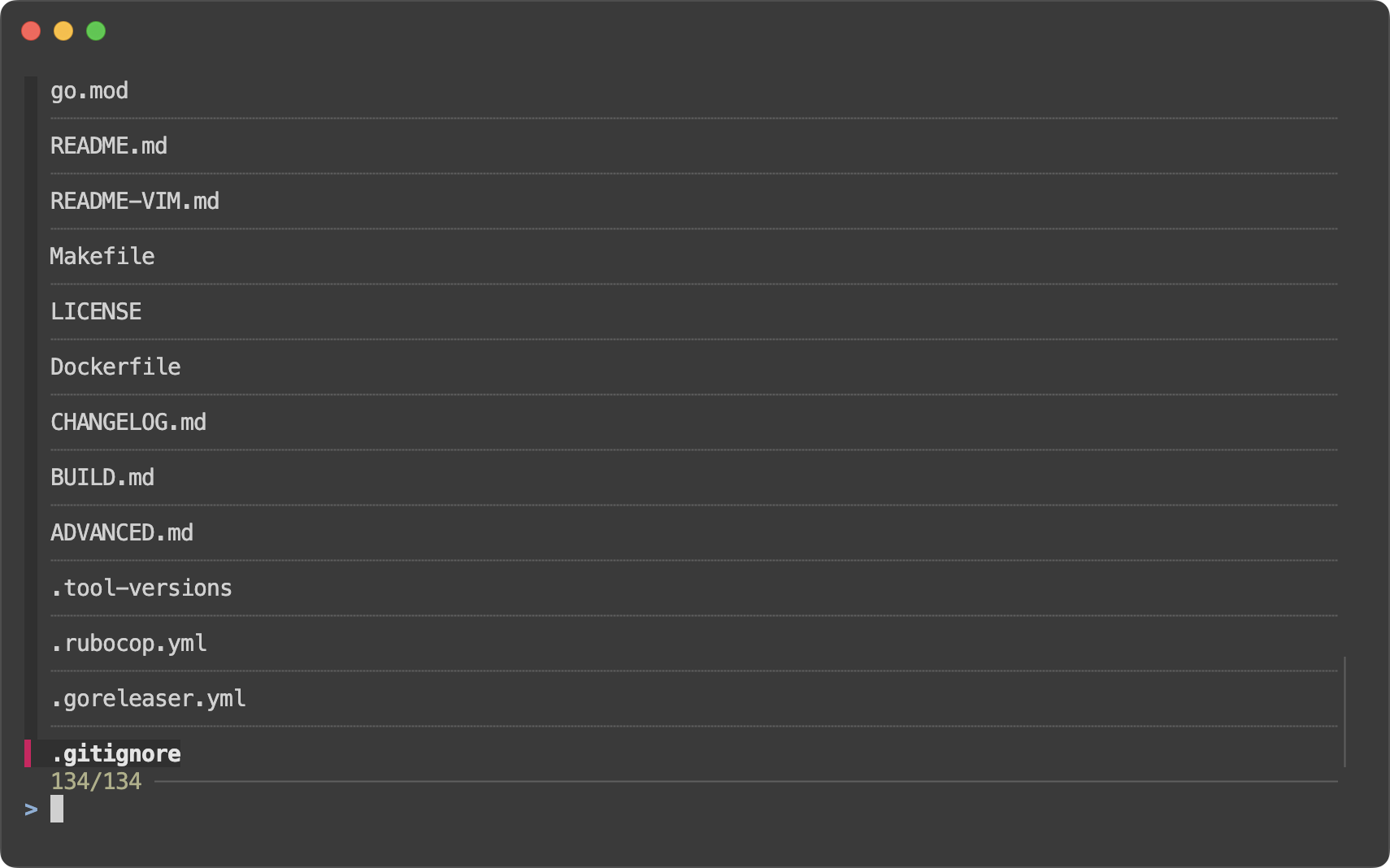
You can customize the gap line with --gap-line option which takes an
arbitrary string.
fzf --gap --gap-line ═
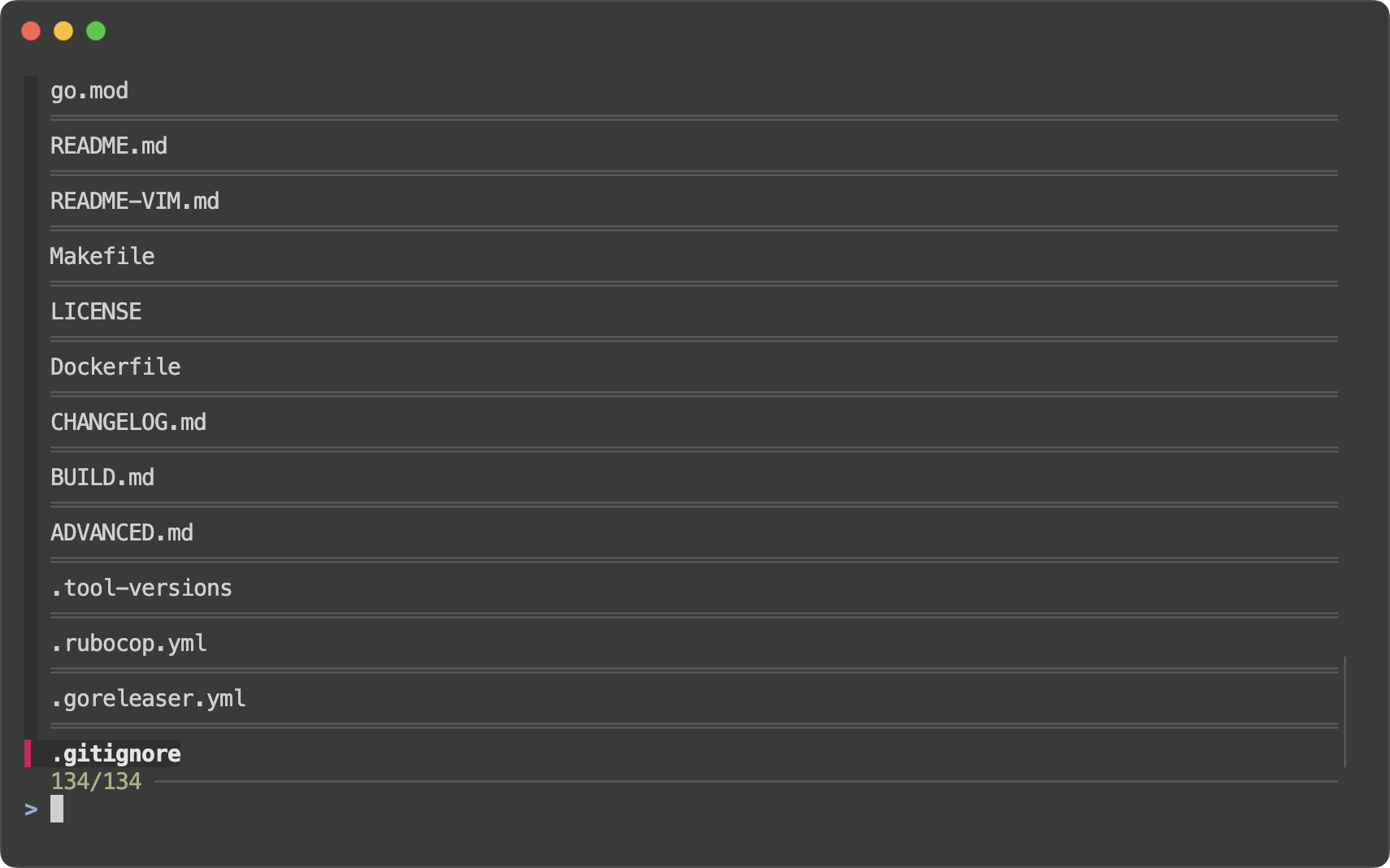
And you can even use ANSI color codes, because, why not?
fzf --gap --gap-line "$(lolcat -f -F 1.4 <<< ╴╴╴╴╴╴╴╴╴╴╴╴╴╴)"
--nth improvements
#
change-nth
#
--nth option allows you to limit the search scope to specific parts of
each line. In this release, fzf introduces a new action change-nth which
allows you to dynamically change the search scope.
# Press 'space' to change the scope from 1st to 2nd to 3rd, and back to 1st
echo 'foo foobar foobarbaz' | fzf --bind 'space:change-nth(2|3|)' --nth 1 -q foo
nth style
#
When using --nth, it can be unclear which parts of the lines are being
searched. Even more so if we use the new change-nth action and change the
option dynamically.
Displaying the “nth” parts differently greatly helps in understanding the
search scope. --color nth:STYLE option is added for this purpose.
# Italic
ls -al | fzf --nth -1 --color nth:italic

# Reverse
ls -al | fzf --nth -1 --color nth:reverse

# Reverse and bold
ls -al | fzf --nth -1 --color nth:reverse:bold

# Dim the other parts
# * fg:dim dims the text
# * nth:regular resets the style (dim)
ls -al | fzf --nth -1 --color fg:dim,nth:regular
FZF_NTH environment variable
#
The current “nth” value will be exported as an environment variable named
$FZF_NTH. The following examples demonstrate how you can use it in your
scripts.
# CTRL-N to toggle name-only search
fzf --delimiter / \
    --color nth:regular,fg:dim \
    --bind 'ctrl-n:change-nth(-1|)' \
    --bind 'result:transform-prompt:
              [[ $FZF_NTH = -1 ]] && echo "name> " || echo "path> "'

ps -ef | fzf --reverse --header-lines 1 --header-border bottom --input-border \
         --color nth:regular,fg:dim \
         --bind 'ctrl-n:change-nth(8..|1|2|3|4|5|6|7|)' \
         --bind 'result:transform-prompt:echo "${FZF_NTH}> "'
Short for
--preview-window=border-STYLE↩︎